

A01Demo application · Role-based access planned
CRM
A clearer journey from first enquiry to delivery handover.

DigiVista Infotech develops and customises business software, automates workflows, builds dashboards and plans cloud migrations around your operations.
Our direction is to connect applications, information and cloud environments so businesses can organise work, understand their data and plan their next stage of digital development.
Learn about DigiVista ↗Develop and customise applications, automate agreed workflows, make reporting useful and plan cloud transitions with clear scope, validation and operational ownership.
Build towards an environment where teams work with organised information, understandable workflows and technology that can adapt as their needs evolve.
Find a practical starting point for your team, then explore the relevant solution.
Start with a specific requirement. Connect the capabilities your project needs.

Replace disconnected tools with a business application shaped around your users and workflows. Scope portals, operational systems, reporting and supported integrations through requirements and a reviewed first release.
Explore scope and approach ↗
Make your services easier to understand and your enquiry journey easier to use. Plan content, responsive design, search setup and editing ownership for a new corporate website or a focused revamp.
Explore scope and approach ↗
Assess repeated forms and approval steps for a practical digital workflow. Define roles, exceptions, notifications and supported connections, with licensing and ongoing ownership considered early.
Explore scope and approach ↗
Turn source information into reports that answer useful business questions. Agree metric definitions, data preparation, refresh and access before building dashboards for managers and operational teams.
Explore scope and approach ↗
Start with a manual process that causes duplicated work or unclear ownership. Map the records, approvals and handovers, then scope a digital workflow connected to supported existing systems.
Explore scope and approach ↗
Prepare a migration around workload dependencies, access and continuity. Review the target environment, costs, transition, validation and operational responsibilities before moving systems.
Explore scope and approach ↗Bring customer information, sales activity and delivery handovers into one agreed workflow.
Explore the CRM journey ↗Record the customer, requirement and enquiry source.
Understand the need, assign ownership and agree the next action.
Define scope, follow up and record the customer’s decision.
Connect agreed commitments to delivery and ongoing support.
Example workflow · Customised to your internal process · Available functions reviewed during the demo
See the DigiVista HRM demo for a practical look at people and payroll information.
Demo shown with sample data. Customisable to your organisation’s internal processes. Payroll calculations are simulations awaiting validation.
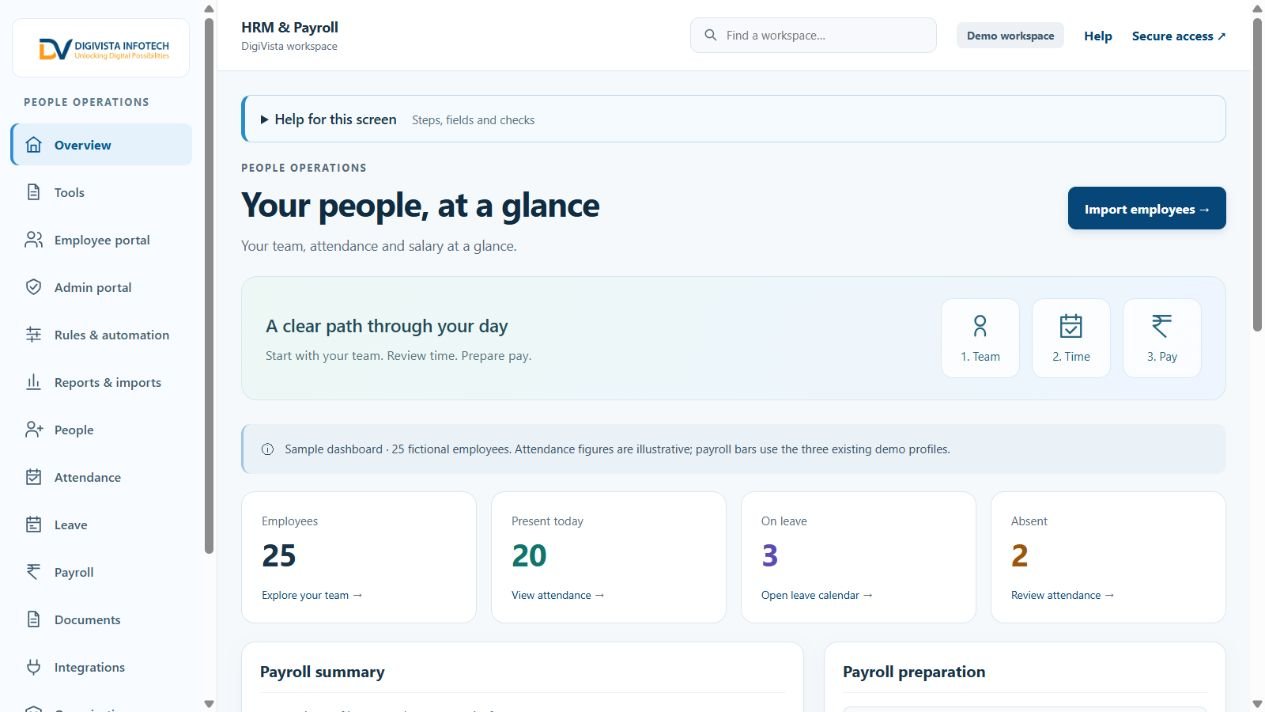
Explore our developed applications and discuss the fit with your team.
All DigiVista applications can be customised to match your organisation’s internal processes and workflows—including forms, approval steps, user roles, reports and integrations. Explore a solution to see its current availability and discuss your requirements.
A clearer journey from first enquiry to delivery handover.

Bring the request, responsible team and next action into view.

Organise the employee journey before adding more HR administration.

Make salary inputs, review and outputs easier to explain.
 Illustrative collaboration image
Tell us where information gets disconnected, tasks repeat or reporting becomes difficult. We will help define a practical digital approach.
Customer records and follow-ups
Requests and ownership
Employee and payroll information
Workflows and useful reporting
Review your process, users and goals.
Agree the workflow and delivery scope.
Develop or configure the solution.
Test the result with your business.
Prepare deployment and handover.
Explore platform guides, migration requirements and a practical calculator.

Plan a Microsoft cloud environment around your applications, users and operational requirements.
Explore scope and approach ↗
Build a practical AWS migration plan for applications, servers, databases and business data.
Explore scope and approach ↗
Assess a Google Cloud environment for applications, business data and analytics workloads.
Explore scope and approach ↗Practical reading for applications, reporting and cloud projects.

An inventory, dependencies and a recovery plan are better starting points than a provider shortlist.
Read the practical guide ↗
Review the daily workflow before comparing long feature lists.
Read the practical guide ↗
Useful reporting begins with clear definitions, reliable data and an intended decision.
Read the practical guide ↗We review your requirements and explain what can be configured and what needs additional development.
Request a walkthrough of a completed application and tell us which workflows matter to your team.
Scope, integrations, deployment and support determine the proposal. We discuss these before estimating.
We assess source records, supported interfaces and data quality before proposing migration or reporting.
Share the process you want to improve. We will discuss the scope and an appropriate next step.